

New Monthly Subscription Service – P&D Pass ($8.99 USD/month)!
As announced on stream, PAD will have a subscription service with goodies for players! There’s a bit more details to what was announced! The pass does have 7-day trial period to start.
For limited time you get a free Spring Forward Medal
 along with it!
P&D Pass (PAD Pass)
Monthly fee of $8.99 USD ($11.99 CAD) gives you special perks monthly, where some can upgrade to better rewards! Subscription is one per device platform, is automatically renewed, and can be unsubscribed up to 24 hours before the subscription end date. This is available on both iOS and Android versions.
Free trial!
along with P&D Pass, that can be used in Monster Exchange for one of the following:


A one-week free trial is available, but you will have to subscribe as free trial + 1 month subscription to start (See subscription section). Be sure to unsubscribe to discontinue if you don’t want automatic payment for next month. You will see in-game how long of subscription is left.
Perks
- Daily dungeon – Not just clearing for Magic Stone, but the dungeons will have rewards including Godfest Gacha!
- 5 Additional team slots!
- 5% EXP Increase!

Perk #1: Special daily dungeons
Clear for a  Magic Stone every day, and receive rewards from clearing the daily dungeons! Select dungeons can level up each month and more rewards are given. See below for the Egg Machine lineup.
Each dungeon is available for 2 days (3 days on Japan version). Below lists the dungeon reward available for the dates each month.
For dungeons with random rewards (like Latents), you can enter/exit the dungeon for a chance of the reward you want.

| Date of the month |
Reward |
| Day 1 |
GodFest Gacha (Lv 1 – Lv 5) * Rolls are max skilled, max leveled, and +297 |
| Day 2 | Tue/Wed Rush (Fire)



 |
| Day 3 | Tue/Wed Rush (Water)




 |
| Day 4 | Tue/Wed Rush (Wood)




 |
| Day 5 |
 +Points (Lv 1) +Points (Lv 1)
|
| Day 6 | Tue/Wed Rush (Light)





 |
| Day 7 | Tue/Wed Rush (Dark)




 |
| Day 8 | Rainbowpy
 |
| Day 9 | Thurs/Fri Rush (Fire)


 |
| Day 10 |
Super Snow Globe Dragon(s)

|
| Day 11 | Thurs/Fri Rush (Water)


 |
| Day 12 | Thurs/Fri Rush (Wood)






 |
| Day 13 | Thurs/Fri Rush (Light)




 |
| Day 14 |
King Tamadra x 1
|
| Day 15 |
 Coins (Lv 1 – Lv 5) Coins (Lv 1 – Lv 5)
|
| Day 16 |  Descended boss Gacha Descended boss Gacha |
| Day 17 | Fri Rush (Dark)




 |
| Day 18 | Latent Tamadra (Pt. 1)


 (1 random) (1 random) |
| Day 19 | Rare Gem Rush Random 1 each of Small Gem 
 , Medium Gem , Medium Gem



 , and Large Gem , and Large Gem



 |
| Day 20 |
Experience of a Lifetime (Lv 1 – Lv 5)
|
| Day 21 | Latent Tamadra (Pt. 2)



 (1 random) (1 random) |
| Day 22 | Latent Tamadra (Pt. 3)
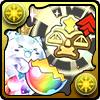


 (1 random) (1 random) |
| Day 23 | Spirit Jewel Rush



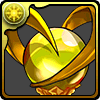
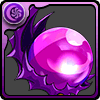
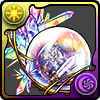 |
| Day 24 | Extreme King Metal Dragon x1
 |
| Day 25 |
 100,000 Monster Points (Lv 1 – Lv 5) 100,000 Monster Points (Lv 1 – Lv 5)
|
| Day 26 | Latent Tamadra x1




 |
| Day 27 | Latent Tamadra (Pt. 4)



 |
| Day 28 | Event Medal – Rainbow x1
 |
| Day 29 | Py (of 1 of 5 attribute) x1




 |
| Day 30 | Snow Globe Dragon (1 of 5 attributes) x1




 |
| Day 31 | King Tan (1 of 5 attributes) x1




 |


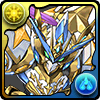
Day 1: Godfest Egg Machine Lineups















































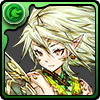




















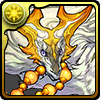
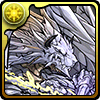

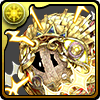





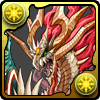

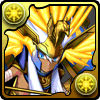























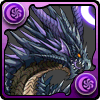

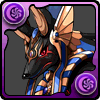


























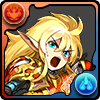






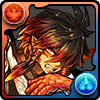


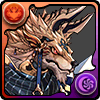























































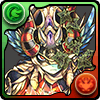

























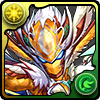

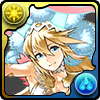























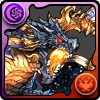

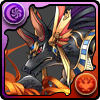















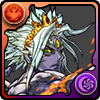
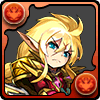









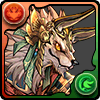


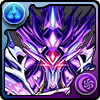
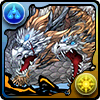




































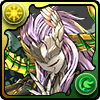










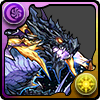

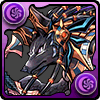










★7









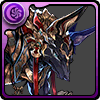

★7

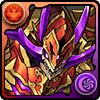









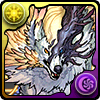
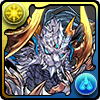


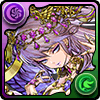


★7
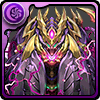
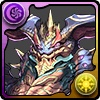
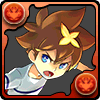
Day 16: Descended Boss Egg Machine Lineup
★10





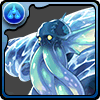





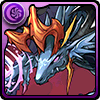

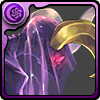
★8


























★7





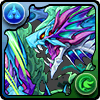



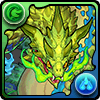
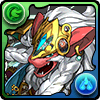
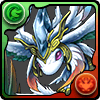







★6






Perk #2: 5 Additional team slots
Gain 5 additional slots for your teams! Shown with rainbow icon at the bottom, and with the PAD Pass icon at top.

Perk #3: 5% EXP Increase
Big note: This is solo-only, DOES NOT apply to co-op, including disconnecting to solo-play.

How to subscribe (& get the free trial)
The option is found at Shop. Click on the PAD Pass button at the very top.


Warnings for PAD Pass.
- PAD Pass is a monthly subscription service, and is renewed near the end of subscription.
- If you use device change (iOS to Android or Android to iOS), be sure to unsubscribe then subscribe again.
Click the button on the left to agree and continue.

Did you REALLY read the warnings? Press Yes (left button) to continue. (Right is no)

You’ll be asked to confirm. Here’s what I see on iOS – Free trial, and the 1 month subscription.
Note: You’re not charged until after the trial period, and you can cancel the monthly subscription 24 hours before trial ends so that you’re not charged.

For iOS, sign in to your Apple ID to complete.

You’ll receive an email from Apple when completed. As mentioned above, if I don’t want the subscription (that starts on Dec. 11), I have until Dec. 10 to cancel before they charge 980 yen on my account.

Unsubscribe/re-subscribing
You can unsubscribe the auto renewal anytime, and this will not end your pass. The perks (daily dungeons etc) retains until your pass expires.
- For team slots, the teams you saved will not return if you subscribe again after your pass expires.
- The end time for team slots and bonus XP are 3:59am JST in the next day, same as server reset time.
- For dungeons, you can still run the uncleared gift dungeons until it expires (currently 3 days)
How to unsubscribe
Follow the instructions below to unsubscribe to PAD Pass and the free trial. Please note that uninstalling the PAD application will not unsubscribe the linked account from PAD Pass.
iOS
- In App Store, click on the top-right icon. Click on the account information access your account.
- Check Subscription (サブスクリプション) for available subscriptions (有効欄)
- Puzzle & Dragons (パズル&ドラゴンズ)
 PAD Pass (パズドラパス)
 - Tap unsubscribe (登録をキャンセル).
For those who doesn’t have the options above, you’ll need to use the following steps:
- In App Store, scroll to the bottom of the Recommenation (おすすめ) tab, and click on the AppleID.
- Show Apple ID (Apple IDを表示) Login (登録)
- Puzzle & Dragons (パズル&ドラゴンズ) PAD Pass (パズドラパス)
- Tap unsubscribe (登録をキャンセル).
Android (Google Play)
■NOTE■
※Unsubscribing will not refund the remaining subscription time.
※After unsubscribing, the PAD Pass bonuses will remain until the next day to 3:59am JST.
Official FAQ, Translated from JP
For more FAQ, see here:
